Early access · Windows and Android
Every agent. One window.
WYZORD is a desktop workspace that keeps each project's AI agents, databases, terminals and Git changes together, stored on your machine. Connect Gmail and the same agents can find, read and summarise your email and write draft replies for you to send.
Illustration: the WYZORD desktop window. Use the page buttons to switch between Dashboard, Add-ons, Connections, Projects, DB Studio, Analytics, Dev Studio, Git, Sessions, Zords and Customize. On Sessions an agent reads the code, edits a file, runs the tests and asks for approval before committing.
Runs the agents and databases you already use
 Codex
 Claude
 Cursor
 Devin
 OpenCode
 Oh My Pi
 Any ACP agent
 PostgreSQL
 MySQL
 SQLite
 Snowflake
 MongoDB
 GitHub
 GitLab
What it does
Most of coding is context.
Agents, databases, terminals and Git live in the same project, so every tool sees the same work. Stop rebuilding context across five apps.
- Threads with any agent. Codex, Claude, Cursor, Devin, OpenCode and other ACP agents, side by side in your project.
- Approve as they work. Answer questions and approve commands from the desktop or your phone.
- Agent teams and auto routing. A lead plans, builders work in parallel, a reviewer checks. Each step goes to the cheapest model that can do it.
- Your email in the chat. Connect Gmail and ask the agent to find, read and summarise mail, or to draft a reply that you check and send yourself. How Gmail access is used
Gmail connector
Your Gmail, in the chat
Connect Gmail under Customize › Connectors. Then ask the AI agent in any chat to find, read and summarise mail, or to write a reply for you.
- What Gmail access is for
- WYZORD asks Google for two Gmail permissions. Reading email (
gmail.readonly) lets the agent search your mailbox and read the threads your request is about. Composing email (gmail.compose) lets it write drafts. A draft is sent only after you confirm it in WYZORD. - Where your data goes
- Your Google data goes from Google to your computer, and from there to the AI provider you chose for that chat, only to answer your request. It never passes through WYZORD’s servers and is never sold or used for advertising.
- No AI training
- Data from Google Workspace APIs is never used to develop, improve or train generalised AI or machine-learning models, by WYZORD or by anyone else.
- You stay in control
- Sign-in tokens are stored encrypted on your computer. Disconnect at any time in the app, or remove access at myaccount.google.com/permissions.
- Limited Use
- WYZORD’s use and transfer to any other app of information received from Google APIs will adhere to the Google API Services User Data Policy, including the Limited Use requirements. The details are in our privacy policy.
One workspace
The best workspace is the one you never leave.

Real screens
Everything a project needs.
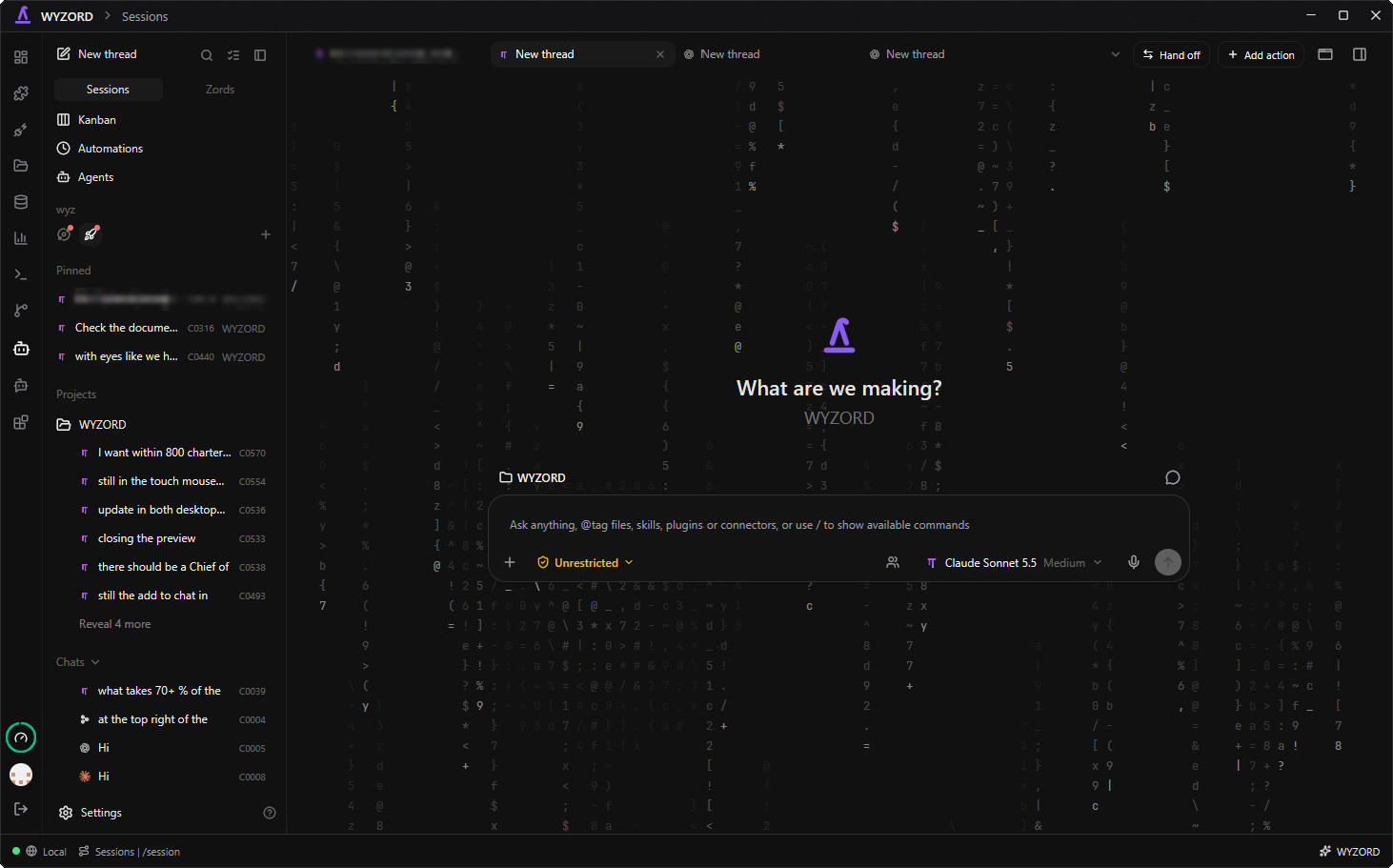
These are real screens from the app, not mock-ups. Pick one to look closer.
-
Threads with any agent
Codex, Claude, Cursor, Devin, OpenCode and other ACP agents, side by side. Approve commands and answer questions as they work.
sessions / agents -
Agent teams and auto routing
A lead plans, builders work in parallel and a reviewer checks. Each step goes to the cheapest model that can do it.
lead / builders / reviewer -
Dev Studio
Files, editor, an integrated terminal, language servers and a live list of local ports for every workspace.
files / terminal / ports -
Git and pull requests
Changes, commits, stashes and pull requests for GitHub and GitLab. Hand review findings or merge conflicts to an agent.
github / gitlab -
Database Studio
PostgreSQL, MySQL, SQLite, Snowflake and MongoDB with a SQL editor, data explorer, an assistant and dashboards on your own queries.
sql / explorer / dashboards -
ZORDS and your phone
Named bots for one job that you chat with or call by voice. Follow and steer every thread from the Android app.
zords / android
Local first
Private in the ways that matter.
WYZORD keeps no cloud copy of your projects. It only talks to the services you connect.
Your machine is the hub
Everything meets on your computer. Each service gets only what a request needs.
On device, always
- Projects and settingslocal
- Threads and memorylocal
- App data, with sign-in tokens encryptedencrypted
Only when you connect it
- Databases you connectyour choice
- Model providers you pickyour choice
- Git remotes you push toyour choice
- Gmail, if you connect ityour choice
How it works
Up and running in three steps.
The first wave of early-access seats gets download links straight away.
The first sign-ups download WYZORD for Windows and Android today. Everyone after that joins the waitlist.
Claim a seatRequest access
Enter your email on the early-access page. The first sign-ups get download links right away.
Install
Download WYZORD for Windows, and the Android app to follow your threads from your phone.
Open a project
Point it at a folder, repo or database and start a thread with the agent you already use.
Already have WYZORD?
Sign in to hand off to the desktop app.
Early access is open
Bring the agent you already use.
The first sign-ups download WYZORD for Windows and Android today. Everyone after that joins the waitlist.